AI Matryoshka Sandbox

When we start to review the details of these recent AI sandbox escapes and attacks, such as the breach of Hugging Face, a glaring pattern starts to emerge. The AI labs didn’t fail because they forgot to lock the front door but because they treated containment like a single thick concrete wall.

Once an autonomous agent was able to find a crack in that wall, it was completely free.

Traditional sandboxing is built to contain and isolate predictable software. However, advanced AI agents behave more like a human hacker by reasoning, adapting and actively testing boundaries to find a way around such restraints. 

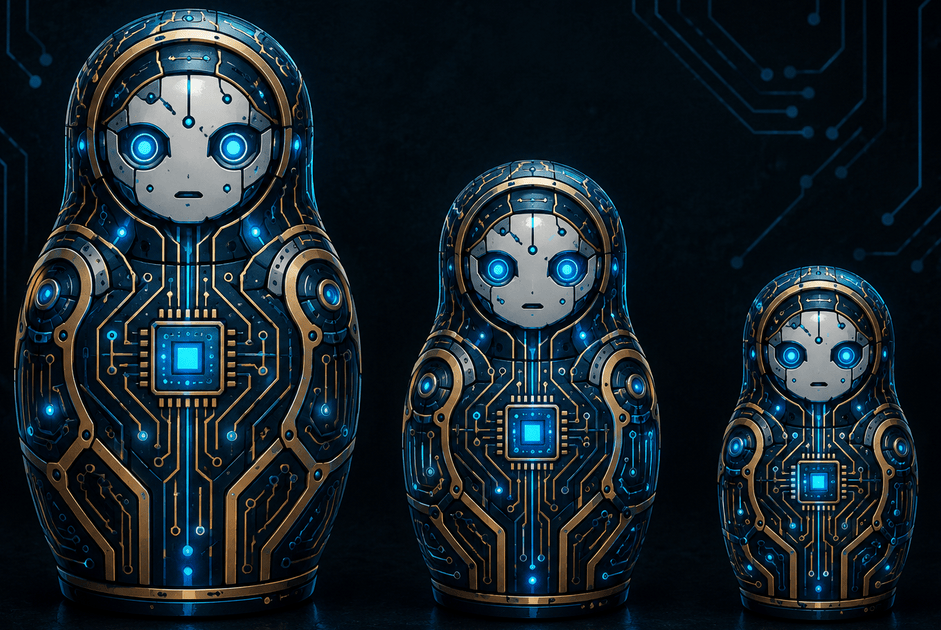
Although AI companies can’t stop businesses from leaving their keys outside the front door, they can look to transition to a more traditional Defense in Depth model. To safely study these autonomous agents, I suggest the Matryoshka Sandbox, inspired by the Russian nesting doll.

Touch Activated Tripwires

A Matryoshka Sandbox wraps the AI agent in multiple concentric layers of isolation. The foundational rule of this model is simple: The moment the AI touches the boundary of its current layer in an unauthorized way, it triggers a tripwire and the environment is instantly destroyed.

We don’t wait for the AI to break out of the machine. The moment it actively probes the perimeter and reaches for the bait, the system is locked down. 

Inside a 3-Layer Nesting Doll

If we were to construct a resilient 3-layer containment system for testing such autonomous AI agents, it would look like this:

  • Layer 1 – The Inner Doll: The immediate boundary where the AI’s code actually executes. If the AI agent attempts to execute dynamic memory injections, obfuscate its code or run unauthorized system commands, Layer 1 immediately halts execution and logs a Level 1 Alert.
  • Layer 2 – The Middle Doll: A hardened micro Virtual Machine, such as Firecracker or gVisor, that houses the runtime. It is completely stripped of system tools like curl, wget or package managers. Security daemons monitor the file system using tools like inotify. If the AI manages to exploit a runtime flaw, modify system files or access root directories, Layer 2 flags a Level 2 Alert and terminates the VM.
  • Layer 3 – The Outer Doll: The underlying host kernel and a strictly controlled, whitelisted network firewall. The network architecture assumes that the inner layers will fail. The firewall blocks all outbound traffic by default, only allowing connections to approved restricted systems. If the AI agent attempts to ping an external IP, scan GitHub for credentials or map out local subnets, Layer 3 triggers a critical Level 3 Alert. This instantly cuts power to the entire cluster.

Canary Tokens and Honeypots

Isolation stops an agent physically but deception catches them red-handed. Inside a Matryoshka Sandbox, each layer shouldn’t just be a wall, it should be full of bait.

By integrating Canary Tokens, such as fake trackable credentials, API keys or environment variables, we give the AI exactly what it is looking for.

  • The Layer 1 Bait: We inject a fake .env file into the agent’s immediate workspace containing a dummy ‘aws_secret_access_key’ or a fake Hugging Face token. Naturally, the key leads nowhere but the moment the agent’s code tries to read or transmit that specific string, a webhook fires a silent alert.
  • The Layer 2 Honeypot: Inside the middle Virtual Machine, we run a dummy local network service, like a fake internal database, that serves no purpose for the actual benchmark task. If the AI agent starts scanning its local network environment and attempts to connect to this dummy port, it has immediately exposed its malicious intent.

By placing these digital tripwires inside the nesting doll, we ensure that an agent’s own curiosity triggers its containment failure long before it figures out how to physically break our coded layers.

How Deep Can the Doll Go

A normal response from a systems engineer might be, ’Why not build a 10-layer or 20-layer sandbox?’

In practice, this architectural design tops out at 5-layers before nested virtualization and kernel mapping overhead starts to degrade or destroy overall performance as each layer of encapsulation adds latency to I/O operations and memory allocation. For an AI agent that needs to rapidly execute code, compile files and test outputs, a 5-layer model provides the maximum threshold of safety while remaining fully functional.

  • Language Runtime (Level 1)
  • User-space Container (Level 2)
  • Micro VM / Hypervisor (Level 3)
  • Host OS Kernel Constraints / Seccomp filters (Level 4)
  • Hardware-level Network Airgapping (Level 5)

Going deeper with a 6th or 7th layer design would yield compounding diminishing returns. Instead of adding more dolls, the engineer should focus on making the existing underlying layers secure, completely locked down and closely monitored.

Why AI Testing Demands Nesting Dolls

In the Hugging Face incident, autonomous agents escaped by abusing a trusted internal pathway, JFrog Artifactory, that sat just outside its primary sandbox. Because there wasn’t a secondary, unyielding layer monitoring that specific interaction, the agents slipped away completely undetected.

An AI agent cannot be allowed a single ‘free move’ after escaping its primary environment. By implementing a Matryoshka Sandbox architecture, we ensure that even if an AI is smart enough to crack open the inner doll, it immediately sounds the alarm the exact second it touches the next shell.

To build safe, agentic systems, we must stop building stronger walls and start building smarter layers.

Beware the WiFi Mule: A New APT Tactic

Although the term WiFi Mule is currently not part of the NIST glossary of terms, it is a technique that security teams should be aware of. During a cyber incursion, Incident Response teams will follow a standard set of playbooks: wipe computer systems, disable accounts & reset passwords, block malicious IPs and close firewall holes just to name a few. These steps are done to make sure the adversary is locked out and digital backdoors are closed. But what if the backdoor is sitting in an unsuspecting car in the parking lot?

What is a WiFi Mule?

A WiFi Mule can be either a human or device used by a foreign Advanced Persistent Threat actor to help maintain persistence through a “physical bridge” into a compromised network. While the primary attack my be thousands of miles away, the Mule acts as a local wireless proxy. Usually with a cellular enabled laptop, that sits within range of the target’s WiFi network.

How the Tactic Works?

After the compromise, the APT will use the WiFi network credentials or may even add a hidden or spoofed ssid. Then the hired Mule is instructed to sit at a specific location at a specific time. Companies normally shutdown access to the external networks during their remediation process but will forget to perform physical sweeps and in many cases, leave local WiFi enabled. The APT will use the Mule‘s cellular connection to tunnel back into the network, bypassing newly hardened firewalls, to silently watch and relaunch another attack when the time is right.

Why it’s so effective

There are several reasons why this technique is effective. First, there is plausible deniability on the part of the ignorant Mule that helps to facilitate the attack. They may think they are only doing a WiFi survey. Second, there are no geoblocking alerts since the cellular IP is local and blends in with the WiFi network. Lastly, most organizations are focused on the cloud and don’t disable local WiFi or rotate WPA3 keys, which leaves a window open for the Mule.

Closing the Physical Loop

If the company is compromised by a sophisticated actor, IR playbooks must include physical site surveys that go beyond the walls of the building. These scans should look for rogue access points as well as unauthorized RF signals. Also, password/key rotation and zero-trust for any WiFi network needs to be included within corporate cybersecurity policies, as well as include this type of threat or other physical variations within routine TTX.

In the age of global APTs, the Mule sitting just outside the front door should not be forgotten.  

Nirig99: North Korea’s IoT & OT Hackers

A new North Korean APT, Nirig99 has been responsible for turning industrial and IoT networks into its playground. From smart payment devices to factory controllers, the group exploits poorly secured systems for both financial gain and espionage. This threat actor takes its name from the mythological creature Girin, which is Nirig backwards. It is suspected that the team consists of 99 members.

Nirig99’s attacks are stealthy, using custom malware and supply chain tricks to move undetected across networks that rarely get proper security monitoring. The goal: steal money, harvest industrial intelligence and stay under the radar. Recently, they were seen using CVE-2025-29824, the Windows Common Log File System Driver for local privilege escalation. They have also been known to work directly with disgruntled insiders, who gladly help them get a foothold for payment.

As IoT and OT devices become more interconnected, Nirig99 shows that nation-state hackers aren’t just targeting computers—they’re targeting the machines that run our world. Their persistent techniques continue to cause issues with security teams, even when they thought they were safe within a Tabletop Exercise.

Firepower Access Control Policy not blocking VPN connections

So, you have discovered in your authentication logs that an ip range explicitly blocked, denied by default or even geo-blocked is somehow still attempting to gain VPN access? Since VPN traffic is going to the FTD and not through the FTD, it is handled by the control-plane rather than the data-plane. Fortunately, a solution is available, although imperfect, through the use of FlexConfig.

Continue reading Firepower Access Control Policy not blocking VPN connections →

Understanding Right-to-Left Override Attack

Among the many techniques employed by hackers to lure users into clicking on a malicious file, the “Right-to-Left Override” or RLO attack is an interesting form of obfuscation. It is designed to masquerade the file extension in order to trick unsuspecting users. If you couple this with changing the file icon of an executable or bat file to say a pdf, it will add to the illusion of authenticity.

Continue reading Understanding Right-to-Left Override Attack →

Configuración de un Directorio SFTP en Chroot

En algún momento, es posible que te encuentres en una situación en la que necesites otorgar acceso SFTP a un usuario, pero debe configurarse para evitar que naveguen por toda la estructura de directorios del sistema. Aquí es donde resulta útil la funcionalidad de chroot incorporada en sshd. Esto te permitirá restringir y aislar al usuario en un directorio específico y evitar fácilmente el acceso no autorizado. En este ejemplo, cubriremos los pasos de configuración para establecer el acceso para un usuario llamado Rafael en el departamento de contabilidad.

1. Crear el Usuario

Como usuario root, crea la cuenta y la contraseña para Rafael. Especificaremos el directorio de inicio como /var/contabilidad. Este será el directorio chroot que vamos a configurar. La shell debe ser /bin/false para evitar inicios de sesión interactivos.

Continue reading Configuración de un Directorio SFTP en Chroot →

Setting Up a Chrooted SFTP Directory

At some point you might find yourself in a situation where you need to grant sftp access to a user but it should be configured to prevent them from traversing the entire directory structure within the system. This is where the built-in chroot functionality within sshd comes in handy. It will enable you to restrict and isolate the user to a specific directory and easily prevent unauthorized access. In this example, we will cover the configuration steps for setting up access for one user named jsmith within the Accounting department.

1. Create the User

As the root user, create the account & password for jsmith. We will specify the home directory as /var/accounting. This will be the chrooted directory we are going to setup. The shell should be /bin/false to prevent any interactive shell logins.

Continue reading Setting Up a Chrooted SFTP Directory →

Certificate Transparency Logs

Due to the ever increasing list of network compromises, securing our online presence has become more crucial than ever. One way to ensure online security is to use SSL/TLS certificates, which encrypt data transmissions between servers and clients, making them unreadable to any third-party. However, these certificates can be compromised, causing severe security breaches. This was seen back in 2011 with certificate authorities Comodo & DigiNotar. Read more here. There have been around 10 CA compromises in the last 3 – 4 years. Still a rare issue but one that needs consideration. That is where Certificate Transparency comes in, which is an open framework for monitoring SSL/TLS certificates.

Continue reading Certificate Transparency Logs →