

So, you have discovered in your authentication logs that an ip range explicitly blocked, denied by default or even geo-blocked is somehow still attempting to gain VPN access? Since VPN traffic is going to the FTD and not through the FTD, it is handled by the control-plane rather than the data-plane. Fortunately, a solution is available, although imperfect, through the use of FlexConfig.
FlexConfig
This feature option allows users to define custom rules and policies beyond the standard functionality of the FTD and uses the familiar syntax from the ASA. FlexConfig gives administrators more possibilities when migrating from the ASA, and this is what we will use to create our control-plane ACL. More details about FlexConfig options and limitations can be reviewed within the Cisco documentation.
Configuration
Go to Objects -> Object Management -> FlexConfig and click on FlexConfig Object
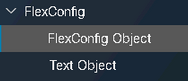
Add a new object,

Here you will name the Object and enter your access-list rules. A few things to note; I set my Deployment to Everytime which will enforce the Type to Append, there is no default deny and control-plane must be added to inbound traffic on the Outside interface. I have taken 2 random /8 address ranges to add to this list.

Carefully verify your syntax and click Save. If you have multiple Outside interfaces, you will need a line for each one like this,

Define FlexConfig Policy
Go to Devices -> FlexConfig and create a new policy if you don’t have one already. Name the policy and add your FTDs. After saving, you can now Edit your new policy.
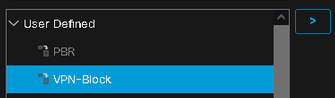
Under User Defined, you will see the new VPN-Block FlexConfig Object. Select this and click “>” to add to the Append configs and Save.
Deploy the Policy
Now, Deploy the new policy. You will see a Validation Warnings alert. This is because FlexConfig policies have limited input validation. Click “Proceed with Deploy“. Note, I used a previously named config called PBR-Flex which will be different from your naming scheme.

Final thoughts
The Firepower is like a spaceship in complexity and with minimal configuration, it is capable of steering itself. This can give admins a false sense of security and make them less aware of potential limitations or the added functionality available in using FlexConfig. Although, this setup is not an ideal solution, it currently appears to be the best option available. You will probably have VPN users from around the world and therefore can’t configure an allow list. This means that you will continually be required to add new ip ranges to the block list. Since this is applied to the control-plane, feel free to be aggressive in your blocks and keep a close eye on your authentication logs.
 The Network Logician